Choosing the right image format can affect website speed, SEO performance and user experience. Many bloggers, website owners and creators compare JPG vs WEBP for SEO to decide which format is better for modern websites.
In this guide, you will learn the differences between JPG and WEBP, their SEO impact, pros and cons, and which format you should use.
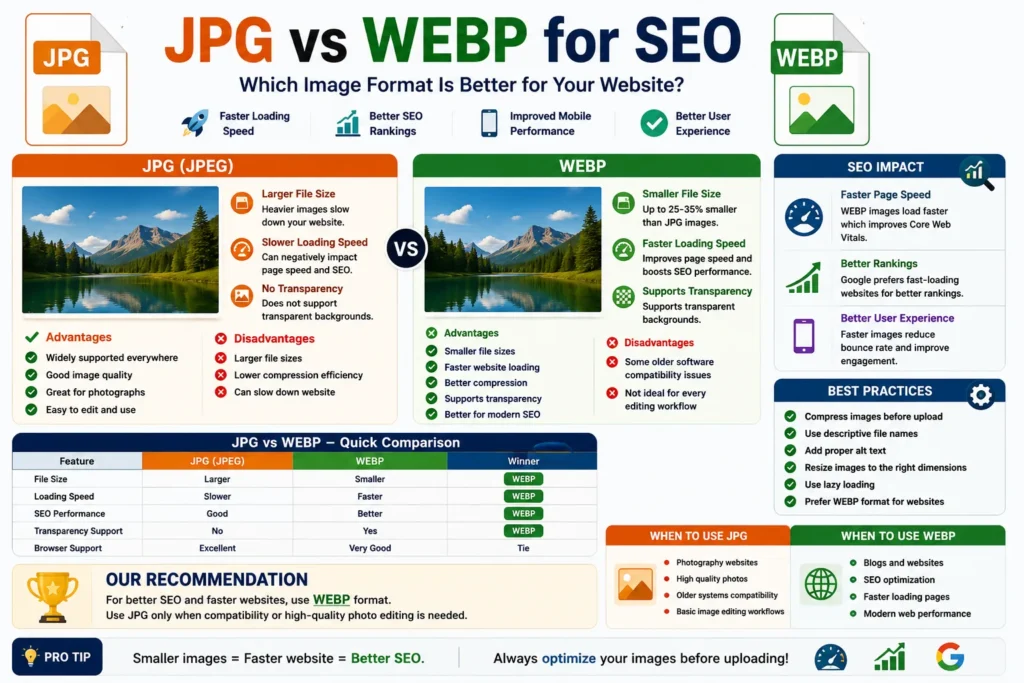
Quick Answer
WEBP is generally better for SEO because it provides smaller file sizes with good image quality, helping websites load faster.
Why Image Format Matters for SEO
Image formats directly affect:
- ✔ Website loading speed
- ✔ User experience
- ✔ Mobile performance
- ✔ Core Web Vitals
- ✔ Storage usage
- ✔ Search rankings
👉 Faster websites usually perform better in SEO.
What Is JPG?
JPG (JPEG) is one of the most popular image formats used online.
JPG Advantages
- ✔ Supported everywhere
- ✔ Good image quality
- ✔ Great for photos
- ✔ Easy to edit and upload
JPG Disadvantages
- ❌ Larger file sizes
- ❌ Lower compression efficiency
- ❌ Can slow websites
What Is WEBP?
WEBP is a modern image format developed by Google.
WEBP Advantages
- ✔ Smaller file sizes
- ✔ Faster loading speed
- ✔ Better compression
- ✔ Supports transparency
- ✔ Better for modern SEO
WEBP Disadvantages
- ❌ Older software compatibility issues
- ❌ Some editing tools still prefer JPG
JPG vs WEBP Comparison
| Feature | JPG | WEBP |
|---|---|---|
| File Size | Larger | Smaller |
| Loading Speed | Slower | Faster |
| SEO Performance | Good | Better |
| Transparency | No | Yes |
| Browser Support | Excellent | Very Good |
Why WEBP Is Better for SEO
WEBP images reduce page size significantly.
Benefits include:
- ✔ Faster page speed
- ✔ Better mobile performance
- ✔ Improved Core Web Vitals
- ✔ Reduced bandwidth usage
- ✔ Better user experience
👉 Google prefers fast-loading websites.
Real SEO Impact
Large image files slow websites and increase bounce rates. Smaller WEBP images help pages load faster, which can improve SEO performance indirectly.
For image-heavy websites, WEBP can make a huge difference.
When to Use JPG
- ✔ Photography websites
- ✔ Older systems compatibility
- ✔ Basic image editing workflows
- ✔ High-quality photo storage
When to Use WEBP
- ✔ Blogs and websites
- ✔ SEO optimization
- ✔ Faster loading pages
- ✔ Mobile-friendly websites
- ✔ Modern web performance
Best Practices for Image SEO
- ✔ Compress images before upload
- ✔ Use descriptive file names
- ✔ Add image alt text
- ✔ Resize large images
- ✔ Use lazy loading
- ✔ Prefer WEBP for websites
Common Image SEO Mistakes
- ❌ Uploading huge image files
- ❌ Using random file names
- ❌ No image compression
- ❌ Missing alt text
- ❌ Ignoring mobile performance
Use Our Free File Renaming Tool
If you want SEO-friendly image names for JPG or WEBP files, use our free tool:
- ✔ Bulk image renaming
- ✔ SEO-friendly names
- ✔ Instant preview
- ✔ No upload required
👉 Optimize Image File Names Now
FAQ
Q1: Is WEBP better than JPG for SEO?
Yes, WEBP usually provides better loading speed and smaller file sizes.
Q2: Does image format affect SEO?
Indirectly yes, because image size affects website speed.
Q3: Should I convert JPG to WEBP?
For websites and blogs, converting to WEBP is usually a good idea.
Q4: Does Google support WEBP?
Yes, WEBP is fully supported by Google.
Conclusion
When comparing JPG vs WEBP for SEO, WEBP is usually the better choice for modern websites because it improves loading speed and performance. However, JPG still remains useful for compatibility and photography workflows.