Images play a crucial role in improving user experience, increasing engagement, and driving organic traffic from search engines. However, simply uploading images to your website is not enough. Proper image optimization helps search engines understand your visuals, improves page speed, and increases your chances of appearing in Google Image Search results.
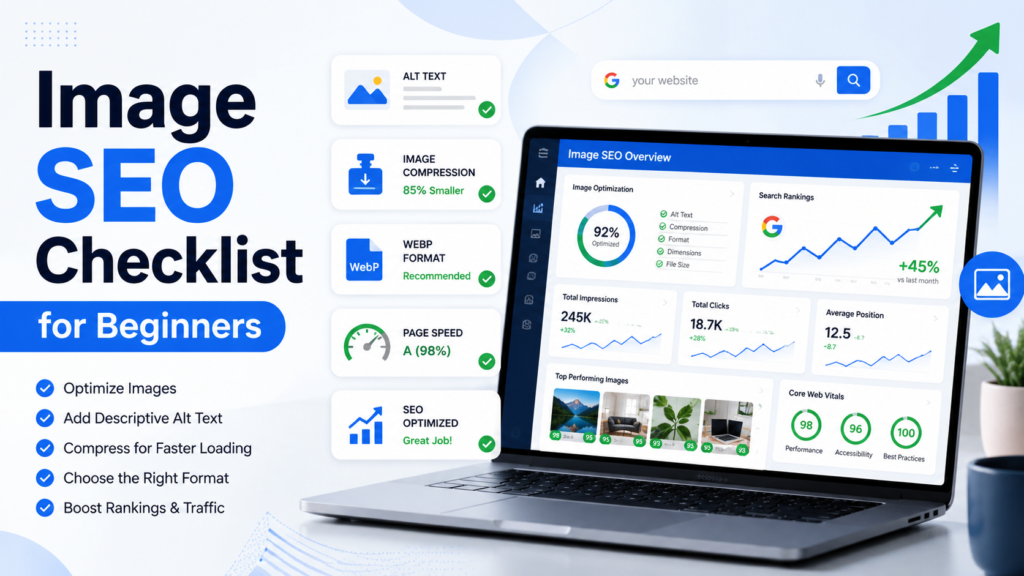
This comprehensive Image SEO checklist will help beginners optimize images correctly and improve overall website rankings.
What Is Image SEO?
Image SEO is the process of optimizing images so search engines can easily understand, index, and rank them. It involves improving image file names, alt text, file sizes, formats, structured data, and other factors that contribute to better visibility in search results.
Effective image SEO can help:
- Increase organic traffic
- Improve page load speed
- Enhance user experience
- Boost accessibility
- Generate traffic from Google Images
- Support overall SEO performance
Why Image SEO Matters
Search engines cannot interpret images the same way humans do. They rely on various signals to understand image content. Optimized images help search engines determine relevance and improve rankings.
Benefits of image optimization include:
- Faster website performance
- Better Core Web Vitals scores
- Higher rankings in image search results
- Improved accessibility for users with disabilities
- Reduced bounce rates
- Enhanced mobile experience
Image SEO Checklist for Beginners
Choose High-Quality Relevant Images
Always use images that are relevant to your content. Generic stock photos often provide little value compared to unique, original images.
Best practices:
- Use original images whenever possible
- Match images to page content
- Ensure visuals add value to users
- Maintain professional quality
Use Descriptive Image File Names
Search engines use image file names as a ranking signal. Avoid generic names like:
- IMG001.jpg
- Screenshot123.png
Instead, use descriptive keywords.
Examples:
Good:
- image-seo-checklist.jpg
- beginner-image-optimization-guide.webp
Bad:
- photo1.jpg
- image123.jpg
Optimize Alt Text Properly
Alt text (alternative text) helps search engines and screen readers understand image content.
Tips for writing effective alt text:
- Describe the image accurately
- Include relevant keywords naturally
- Keep descriptions concise
- Avoid keyword stuffing
Example:
Good:
“Image SEO checklist showing image optimization best practices.”
Bad:
“Image SEO, SEO images, optimize images SEO guide.”
Compress Images Before Uploading
Large image files slow down websites and negatively impact rankings.
Benefits of image compression:
- Faster loading times
- Better user experience
- Improved Core Web Vitals
- Reduced bandwidth usage
Popular image compression tools:
- TinyPNG
- ShortPixel
- ImageOptim
- Squoosh
Choose the Right Image Format
Different image formats serve different purposes.
JPEG
Best for:
- Photographs
- Blog images
- Product images
Advantages:
- Small file size
- Good quality-to-size ratio
PNG
Best for:
- Logos
- Graphics
- Transparent backgrounds
Advantages:
- High quality
- Transparency support
WebP
Best for:
- Modern websites
- SEO-focused optimization
Advantages:
- Smaller file sizes
- Excellent quality
- Better performance
SVG
Best for:
- Icons
- Logos
- Vector graphics
Advantages:
- Scalable without quality loss
- Lightweight
Resize Images Correctly
Uploading oversized images wastes bandwidth and slows pages.
For example:
If your content area displays images at 800 pixels wide, avoid uploading images that are 4000 pixels wide.
Best practices:
- Match image dimensions to display size
- Create responsive versions
- Optimize for desktop and mobile devices
Implement Responsive Images
Responsive images automatically adjust to different screen sizes.
Benefits include:
- Improved mobile performance
- Faster loading speeds
- Better user experience
Use modern responsive image techniques such as:
- srcset attributes
- Responsive image containers
Add Image Captions When Relevant
Captions are among the most frequently read elements on a webpage.
Benefits:
- Increased engagement
- Additional context for users
- Better content comprehension
Use captions when they add meaningful value.
Create an Image Sitemap
An image sitemap helps search engines discover images that may otherwise be difficult to find.
Benefits include:
- Improved image indexing
- Faster discovery of visual content
- Better visibility in Google Images
Use Structured Data
Structured data helps search engines understand image context.
Common schema types include:
- Article Schema
- Product Schema
- Recipe Schema
- Organization Schema
Proper structured data can enhance search appearance and improve visibility.
Enable Lazy Loading
Lazy loading delays image loading until users scroll near them.
Advantages:
- Faster initial page load
- Reduced server load
- Improved user experience
This is especially useful for image-heavy websites.
Optimize Images for Mobile Users
Mobile-first indexing means Google primarily evaluates the mobile version of your website.
Ensure:
- Images display properly on small screens
- File sizes remain lightweight
- Loading speeds are optimized
Use Unique Images Whenever Possible
Original images often outperform generic stock photos because they provide unique value.
Ideas for unique visuals:
- Screenshots
- Infographics
- Custom graphics
- Product photos
- Tutorial images
Include Images Near Relevant Text
Place images close to the content they support.
Benefits:
- Better contextual relevance
- Improved user understanding
- Stronger search engine signals
Search engines analyze surrounding content to understand image meaning.
Monitor Image Performance
Regularly review image performance using SEO tools.
Key metrics to track:
- Image impressions
- Click-through rates
- Organic traffic
- Loading speed
- Core Web Vitals
Useful tools include:
- Google Search Console
- Google PageSpeed Insights
- Google Analytics
- Lighthouse
Common Image SEO Mistakes to Avoid
Keyword Stuffing in Alt Text
Overusing keywords can harm SEO and reduce accessibility.
Uploading Large Files
Uncompressed images negatively affect performance and rankings.
Ignoring Mobile Optimization
Poor mobile experiences can hurt visibility and engagement.
Using Generic File Names
Non-descriptive file names provide little context to search engines.
Missing Alt Attributes
Images without alt text lose accessibility and SEO opportunities.
Image SEO Best Practices Summary
Follow these image SEO fundamentals:
- Use relevant high-quality images
- Write descriptive file names
- Add optimized alt text
- Compress image files
- Use WebP when possible
- Implement responsive images
- Create image sitemaps
- Enable lazy loading
- Optimize for mobile devices
- Use structured data
- Monitor image performance regularly
Final Thoughts
Image SEO is an essential part of a successful SEO strategy. Optimized images improve page speed, accessibility, user experience, and search visibility. By following this beginner-friendly Image SEO checklist, you can help search engines understand your visuals, increase traffic from Google Images, and strengthen your overall SEO performance.
Start with file names, alt text, compression, and modern image formats. As your website grows, implement advanced techniques like structured data, responsive images, and image sitemaps to maximize results.