If you want your blog posts to appear on Google and generate consistent organic traffic, simply writing great content isn’t enough. Search engines evaluate hundreds of ranking factors before deciding where your content should appear.
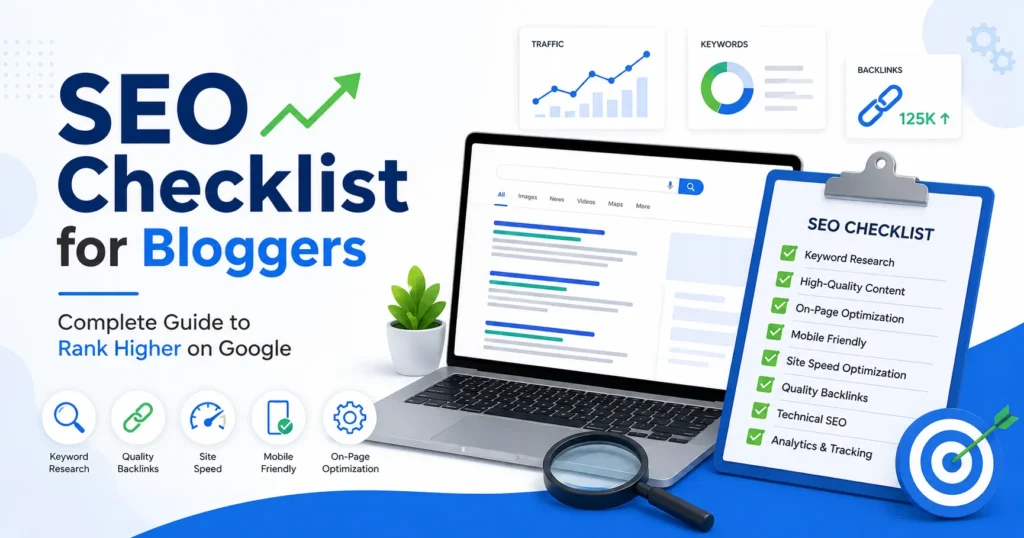
Whether you’re a beginner or an experienced blogger, following a proper SEO checklist helps improve rankings, increase website traffic, and attract the right audience.
In this complete guide, you’ll learn a practical SEO checklist for bloggers that covers everything from keyword research to technical SEO.
Why Every Blogger Needs SEO
SEO (Search Engine Optimization) helps search engines understand your content and rank it for relevant searches.
Benefits include:
- Higher Google rankings
- More organic traffic
- Better user experience
- Increased authority
- Higher affiliate and AdSense earnings
- Long-term passive traffic
Without SEO, even excellent articles may never reach your target audience.
1. Keyword Research Checklist
Keyword research is the foundation of SEO.
Before writing a blog post, make sure you:
✅ Find a primary keyword
✅ Find 5–10 related keywords
✅ Identify long-tail keywords
✅ Analyze keyword difficulty
✅ Check monthly search volume
✅ Understand search intent
Example:
Primary Keyword:
SEO Checklist for Bloggers
Related Keywords:
- Blogging SEO checklist
- SEO tips for bloggers
- Blog SEO guide
- On-page SEO checklist
- SEO optimization tips
Long-tail keywords:
- SEO checklist for beginner bloggers
- How to optimize blog posts for SEO
- Blog SEO checklist 2026
2. Content Planning Checklist
Before writing:
- Understand search intent
- Analyze top-ranking competitors
- Create an outline
- Cover every subtopic
- Add FAQs
- Plan internal links
A well-structured article performs better than randomly written content.
3. On-Page SEO Checklist
Every blog post should include:
SEO Title
Include your primary keyword near the beginning.
Example:
SEO Checklist for Bloggers: 25 Steps to Rank Higher
Meta Description
Keep it between 140–160 characters.
Example:
Learn the complete SEO checklist for bloggers with actionable tips to improve rankings, increase traffic, and optimize every blog post.
URL Structure
Keep URLs short.
Good:
/seo-checklist-for-bloggersBad:
/complete-guide-about-best-seo-checklist-for-all-bloggers-in-2026Heading Structure
Use headings correctly.
H1

H2

H3

H4
Never skip heading hierarchy.
Keyword Placement
Include your primary keyword in:
- Title
- URL
- Meta Description
- First paragraph
- H2 headings
- Image alt text
- Conclusion
Avoid keyword stuffing.
4. Content Writing Checklist
Google rewards helpful content.
While writing:
✔ Write original content
✔ Solve readers’ problems
✔ Add examples
✔ Use short paragraphs
✔ Write in simple language
✔ Use bullet points
✔ Add tables
✔ Include statistics
✔ Update outdated information
Aim for content that is genuinely useful.
5. Image SEO Checklist
Images improve engagement and rankings.
Checklist:
- Compress images
- Use WebP format
- Rename files before uploading
- Add descriptive ALT text
- Use lazy loading
- Include captions where appropriate
Example:
Instead of:
IMG001.jpgUse:
seo-checklist-bloggers.webp6. Internal Linking Checklist
Internal links help Google discover pages.
Best practices:
- Link to relevant articles
- Use descriptive anchor text
- Link older posts to newer ones
- Add 3–8 internal links per article
Example:
If writing about SEO, link to articles on:
- Keyword Research
- Technical SEO
- On-Page SEO
- Backlinks
7. External Linking Checklist
Link to trusted sources.
Examples:
- Google Search Central
- Google Analytics
- Google PageSpeed Insights
- Bing Webmaster Tools
Avoid linking to spam websites.
8. Technical SEO Checklist
Technical SEO ensures search engines can crawl and index your website.
Checklist:
- HTTPS enabled
- XML Sitemap
- Robots.txt configured
- Canonical URLs
- No broken links
- Schema markup
- Fast hosting
- Mobile-friendly design
- Crawl error monitoring
9. Mobile SEO Checklist
Most users browse on mobile devices.
Ensure:
- Responsive design
- Readable fonts
- Clickable buttons
- Fast loading
- Proper spacing
- No intrusive pop-ups
10. User Experience (UX) Checklist
Google values user satisfaction.
Improve UX by:
- Using clear navigation
- Writing short paragraphs
- Adding images
- Including tables
- Highlighting key points
- Using whitespace
- Creating easy-to-read layouts
11. Core Web Vitals Checklist
Google measures page experience using Core Web Vitals.
Focus on:
- Largest Contentful Paint (LCP)
- Interaction to Next Paint (INP)
- Cumulative Layout Shift (CLS)
Improve performance by:
- Optimizing images
- Reducing JavaScript
- Using browser caching
- Choosing quality hosting
- Enabling compression
12. Post Publishing Checklist
Before publishing:
✅ Proofread content
✅ Check grammar
✅ Test all links
✅ Optimize images
✅ Preview on mobile
✅ Add featured image
✅ Add categories
✅ Add tags
✅ Submit URL to Google Search Console
13. Off-Page SEO Checklist
After publishing:
- Share on social media
- Build backlinks
- Submit to relevant directories
- Reach out for guest posts
- Update older articles with new links
- Promote through email newsletters
Quality backlinks remain a strong ranking signal.
14. Common SEO Mistakes Bloggers Should Avoid
Avoid these mistakes:
- Keyword stuffing
- Duplicate content
- Thin content
- Slow website speed
- Ignoring mobile users
- Missing meta descriptions
- Broken links
- Poor internal linking
- Copying competitor content
- Publishing without proofreading
15. Free SEO Tools Every Blogger Should Use
| Tool | Purpose |
|---|---|
| Google Search Console | Monitor indexing and search performance |
| Google Analytics | Analyze traffic and user behavior |
| Google Keyword Planner | Keyword research |
| Google Trends | Discover trending topics |
| PageSpeed Insights | Measure page performance |
| Screaming Frog SEO Spider | Technical SEO audits |
| Ahrefs Webmaster Tools | Backlink and SEO analysis |
| Bing Webmaster Tools | Monitor Bing search performance |
Quick SEO Checklist
Before hitting publish, confirm:
- Primary keyword selected
- Search intent matched
- SEO title optimized
- Meta description added
- URL shortened
- Headings structured properly
- Images compressed
- ALT text included
- Internal links added
- External links added
- Mobile-friendly layout
- Fast page speed
- Grammar checked
- Featured image added
- Schema markup implemented
- Submitted to Google Search Console
Frequently Asked Questions (FAQs)
What is an SEO checklist?
An SEO checklist is a step-by-step guide that helps optimize a webpage for search engines. It includes tasks like keyword research, on-page optimization, technical SEO, and link building.
How many keywords should I use in one blog post?
Focus on one primary keyword and naturally include related keywords throughout the content. Avoid keyword stuffing.
Is SEO still important for bloggers in 2026?
Yes. SEO remains one of the most effective ways to generate long-term, organic traffic and build authority.
How long should an SEO-friendly blog post be?
There is no fixed length, but comprehensive articles of 1,500–3,000 words often perform well when they fully address the topic.
Can I rank without backlinks?
Yes, especially for low-competition keywords. However, quality backlinks can significantly improve your chances of ranking for competitive terms.
Final Thoughts
SEO isn’t about tricking search engines—it’s about creating valuable, well-structured content that answers users’ questions better than competing pages. By following this SEO checklist consistently, you’ll improve your blog’s visibility, attract more organic traffic, and build long-term authority.
Remember that SEO is an ongoing process. Regularly update your articles, monitor performance, fix technical issues, and continue producing high-quality content. Over time, these efforts can lead to sustainable rankings and consistent growth for your blog.