Images are an essential part of modern websites. They improve user experience, increase engagement, and help explain complex information visually. However, if your images are not optimized correctly, Google may struggle to understand and rank them.
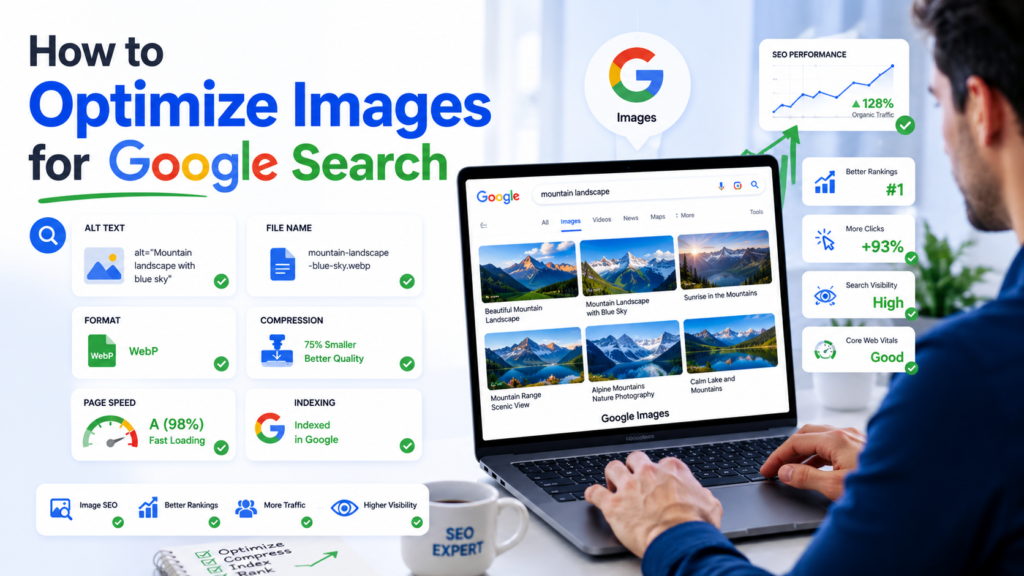
Image optimization is more than simply uploading a picture to your website. It involves improving image quality, reducing file sizes, adding descriptive information, and ensuring search engines can easily discover and index your visuals.
This guide explains how to optimize images for Google Search and improve your chances of ranking in Google Images and regular search results.
Why Image Optimization Matters
Google uses images to better understand web pages and provide relevant results to users. Optimized images can help:
- Increase organic traffic
- Improve website speed
- Enhance user experience
- Boost accessibility
- Improve rankings in Google Images
- Support overall SEO performance
Since Google considers page experience and loading speed as ranking factors, properly optimized images contribute directly to SEO success.
Use High-Quality Relevant Images
The first step in image optimization is choosing images that are relevant to your content.
Google prefers content that provides value to users. Images should support the topic and help visitors understand the information more effectively.
Best practices include:
- Use original images whenever possible
- Avoid irrelevant stock photos
- Match visuals with surrounding content
- Maintain professional image quality
Unique images often perform better than generic stock photography.
Choose SEO-Friendly File Names
Image file names help Google understand image content before it is indexed.
Instead of uploading files with names like:
- IMG_1234.jpg
- Screenshot001.png
Use descriptive file names that include relevant keywords.
Examples:
Good:
- how-to-optimize-images-for-google-search.jpg
- image-seo-guide.webp
Bad:
- image1.jpg
- photo123.png
Keep file names simple, descriptive, and separated with hyphens.
Write Descriptive Alt Text
Alt text (alternative text) is one of the most important image SEO elements.
It helps:
- Search engines understand image content
- Screen readers assist visually impaired users
- Images rank in Google Image Search
How to Write Effective Alt Text
Follow these guidelines:
- Describe the image accurately
- Include keywords naturally
- Keep descriptions concise
- Avoid keyword stuffing
Example:
Good:
“Google Search image optimization checklist displayed on a laptop screen.”
Bad:
“Image SEO image optimization Google images SEO ranking.”
Focus on clarity rather than keyword repetition.
Compress Images Before Uploading
Large image files can slow down your website and negatively affect rankings.
Image compression reduces file size while maintaining visual quality.
Benefits include:
- Faster page loading
- Better Core Web Vitals scores
- Improved mobile performance
- Enhanced user experience
Popular image compression tools include:
- TinyPNG
- ShortPixel
- Squoosh
- ImageOptim
Always compress images before uploading them to your website.
Select the Best Image Format
Different image formats serve different purposes.
JPEG
Best for:
- Blog images
- Photographs
- Product photos
Benefits:
- Smaller file sizes
- Wide compatibility
PNG
Best for:
- Logos
- Graphics
- Transparent backgrounds
Benefits:
- High image quality
- Transparency support
WebP
Best for:
- SEO-focused websites
- Performance optimization
Benefits:
- Smaller file sizes
- Excellent image quality
- Faster loading speeds
SVG
Best for:
- Icons
- Logos
- Vector graphics
Benefits:
- Scalable without losing quality
- Lightweight format
WebP is generally the preferred format for modern websites.
Resize Images Correctly
Uploading oversized images wastes bandwidth and slows websites.
For example, if your website displays images at 800 pixels wide, there is little reason to upload images that are 4000 pixels wide.
Best practices:
- Match image dimensions to display size
- Create multiple image versions when necessary
- Optimize for desktop and mobile devices
Smaller dimensions often result in faster load times.
Use Responsive Images
Google recommends responsive images because they improve performance across devices.
Responsive images automatically adjust based on screen size.
Benefits include:
- Better mobile experience
- Reduced loading times
- Improved usability
Responsive images can be implemented using:
- srcset attributes
- Responsive image containers
- Modern CMS optimization tools
Add Images Near Relevant Content
Google analyzes the surrounding content to understand image context.
Images should appear close to the text they support.
Benefits include:
- Improved contextual relevance
- Better user understanding
- Stronger SEO signals
Avoid placing unrelated images on a page simply to increase visual content.
Create an Image Sitemap
An image sitemap helps Google discover and index your images more efficiently.
Image sitemaps are especially useful when:
- Images load through JavaScript
- Images are embedded dynamically
- Websites contain large image libraries
Benefits include:
- Better indexing
- Increased visibility in Google Images
- Faster discovery of new content
Enable Lazy Loading
Lazy loading delays image loading until users scroll near them.
Advantages include:
- Faster initial page load
- Reduced bandwidth usage
- Better user experience
Most modern content management systems support lazy loading by default.
Optimize Images for Mobile Devices
Google primarily uses mobile-first indexing when evaluating websites.
Mobile optimization should include:
- Fast-loading images
- Responsive sizing
- Compressed file sizes
- Proper display across devices
A poor mobile experience can limit your visibility in search results.
Use Structured Data
Structured data provides additional context about images and page content.
Common schema types include:
Article Schema
Useful for blog content and news articles.
Product Schema
Ideal for ecommerce websites.
Recipe Schema
Helpful for food and recipe websites.
Organization Schema
Useful for business websites.
Structured data can improve how content appears in search results.
Add Captions When Appropriate
Captions provide additional context for users and search engines.
Benefits include:
- Higher engagement
- Better content understanding
- Increased time on page
Only use captions when they genuinely add value.
Improve Page Speed
Image optimization directly affects page speed, which is an important ranking factor.
To improve performance:
- Compress images
- Use modern formats
- Implement lazy loading
- Enable browser caching
- Use a content delivery network (CDN)
Faster websites generally provide a better user experience and stronger SEO performance.
Monitor Image Performance in Google Search Console
Google Search Console can help track image performance.
Metrics to monitor include:
- Impressions
- Clicks
- Click-through rate
- Indexed images
- Search visibility
Regular monitoring helps identify optimization opportunities.
Common Image SEO Mistakes
Avoid these common errors:
Using Generic File Names
File names should describe image content.
Keyword Stuffing Alt Text
Over-optimization can harm SEO and accessibility.
Uploading Large Images
Large files negatively impact page speed.
Ignoring Mobile Optimization
Mobile usability directly affects rankings.
Skipping Compression
Uncompressed images often create performance issues.
Using Irrelevant Images
Every image should support the page topic.
Image Optimization Checklist
Use this quick checklist before publishing:
- Choose relevant images
- Use descriptive file names
- Add optimized alt text
- Compress images
- Use WebP format when possible
- Resize images appropriately
- Enable lazy loading
- Implement responsive images
- Add structured data
- Create an image sitemap
- Optimize for mobile devices
- Monitor performance regularly
Conclusion
Learning how to optimize images for Google Search is an essential part of modern SEO. Proper image optimization improves website speed, accessibility, user experience, and search visibility.
By focusing on file names, alt text, image compression, responsive design, and modern formats such as WebP, you can increase the chances of your images appearing in Google Images and support stronger rankings across your website.
Consistent image optimization is a small effort that can produce significant long-term SEO benefits.