A messy desktop slows down productivity, creates confusion and makes important files difficult to find. Professionals understand that desktop organization is not just about appearance — it directly affects workflow and efficiency. In this guide, you will learn how professionals manage desktop files to stay organized and productive.
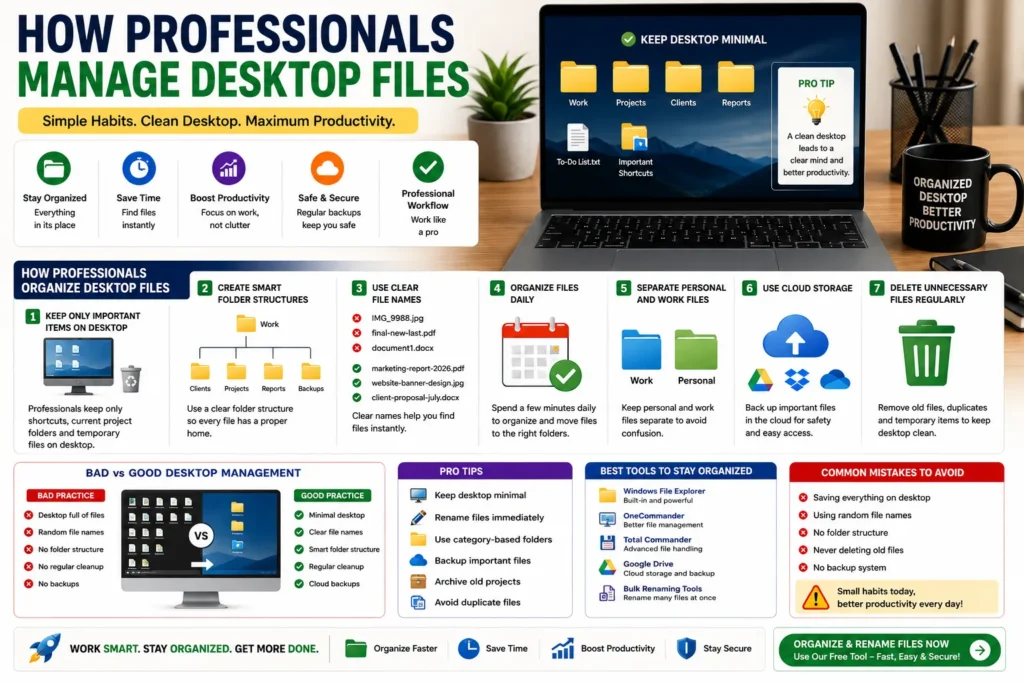
Quick Answer
Professionals manage desktop files by using clean folder structures, clear file naming systems, regular cleanup routines and cloud backups.
Why Desktop File Management Matters
- ✔ Faster file searching
- ✔ Better productivity
- ✔ Cleaner workspace
- ✔ Less stress and distraction
- ✔ Easier backups and organization
Problems With a Messy Desktop
Most people keep everything on the desktop:
- ❌ Screenshots
- ❌ Downloads
- ❌ PDFs
- ❌ Random folders
- ❌ Duplicate files
👉 This creates clutter and slows down work.
How Professionals Organize Desktop Files
1. Keep Only Important Shortcuts on Desktop
Professionals avoid storing large numbers of files directly on the desktop.
Usually they keep:
- ✔ Important app shortcuts
- ✔ Current project folders
- ✔ Temporary work files
👉 Everything else is moved into proper folders.
2. Create Smart Folder Structures
Professionals use organized folder systems.
Work/
│
├── Clients/
├── Projects/
├── Reports/
├── Images/
└── Backups/
👉 This keeps files easy to manage.
3. Use Clear File Names
Random names create confusion.
Bad Example:
IMG_9988.jpg
final-new-last.pdf
Good Example:
marketing-report-2026.pdf
website-banner-design.jpg
4. Organize Files Daily
Professionals spend a few minutes every day cleaning and organizing files.
👉 Small daily cleanup prevents huge clutter later.
5. Separate Personal and Work Files
Mixing personal and professional files creates confusion.
Best practice:
Personal/
Work/
6. Use Cloud Storage
Professionals use cloud storage for backup and remote access.
Popular options:
- ✔ Google Drive
- ✔ Dropbox
- ✔ OneDrive
7. Delete Unnecessary Files Regularly
Old screenshots, duplicate downloads and temporary files are removed regularly.
👉 This improves storage and performance.
Bad vs Good Desktop Management
| Bad Practice | Good Practice |
|---|---|
| Desktop full of files | Minimal desktop setup |
| Random file names | Clear naming system |
| No cleanup | Daily organization |
| No backups | Cloud backup system |
Pro Tips Used by Professionals
- ✔ Keep desktop minimal
- ✔ Use category-based folders
- ✔ Rename files immediately
- ✔ Backup important files
- ✔ Archive old projects
- ✔ Avoid duplicate files
Best Tools for Desktop File Management
- ✔ Windows File Explorer
- ✔ OneCommander
- ✔ Total Commander
- ✔ Google Drive
- ✔ File renaming tools
Why Organized Desktops Improve Productivity
A clean desktop reduces distractions and saves time. Professionals focus faster because they are not searching through messy files and folders all day.
Better organization also creates a more professional workflow.
Common Mistakes to Avoid
- ❌ Saving everything on desktop
- ❌ Random file names
- ❌ No folder structure
- ❌ Never deleting old files
- ❌ No backup system
Use Our Free File Renaming Tool
If you want to organize desktop files faster, use our free tool:
- ✔ Bulk renaming
- ✔ Smart file naming
- ✔ Instant preview
- ✔ No upload required
FAQ
Q1: Should files be stored directly on desktop?
No, professionals use folders and keep desktops clean.
Q2: Why do professionals keep minimal desktops?
Because it improves focus, speed and productivity.
Q3: What is the best desktop organization method?
Using category-based folders and regular cleanup.
Q4: How often should desktop files be cleaned?
Daily or weekly cleanup is recommended.
Conclusion
Professionals manage desktop files using clean folder structures, smart naming systems and regular organization habits. A clean desktop improves workflow, reduces stress and helps users work faster and more efficiently.