Managing hundreds or thousands of files manually wastes a lot of time. Documents, images, videos, downloads and screenshots quickly become messy if they are not organized properly. That’s why many people search for the best way to sort files automatically.
In this guide, you will learn how automatic file sorting works, the best methods to organize files, useful tools, and smart tips to keep your computer clean and productive.
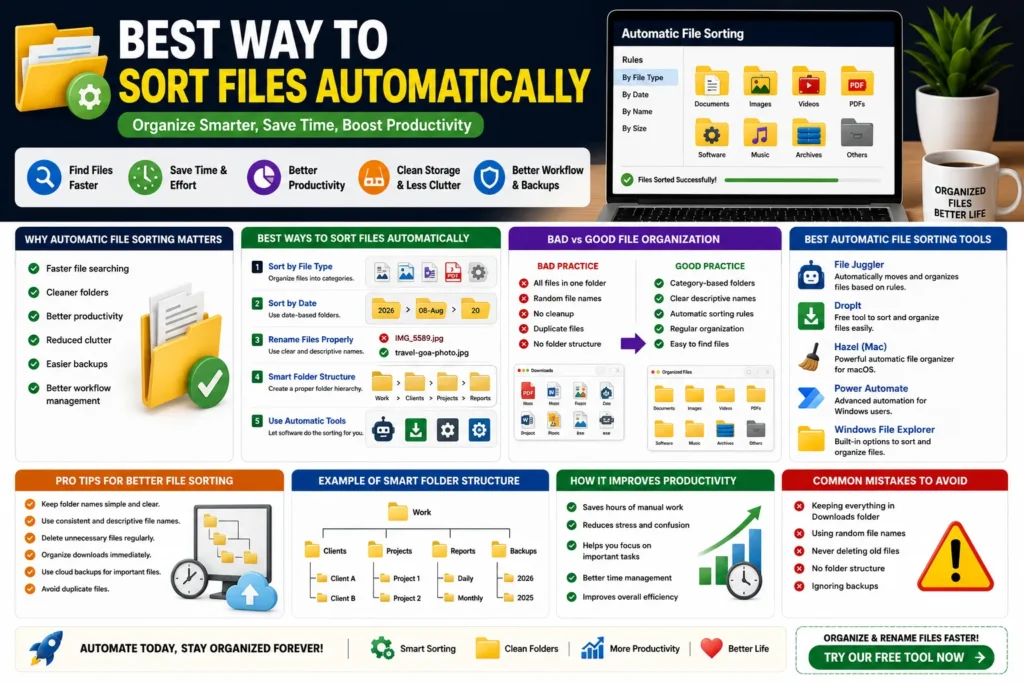
Quick Answer
The best way to sort files automatically is by using category-based folders, file naming rules, date-based organization and automatic file management tools.
Why Automatic File Sorting Matters
Manual file management becomes difficult when the number of files grows daily. Automatic sorting saves time and improves productivity.
- ✔ Faster file searching
- ✔ Cleaner folders
- ✔ Better productivity
- ✔ Reduced clutter
- ✔ Easier backups
- ✔ Better workflow management
Common Problems Without File Sorting
Without proper organization, files become difficult to manage.
Most users face problems like:
- ❌ Messy Downloads folder
- ❌ Duplicate files
- ❌ Random file names
- ❌ Lost screenshots and PDFs
- ❌ Slow workflow
- ❌ Wasted storage space
Best Ways to Sort Files Automatically
1. Sort Files by File Type
The easiest method is organizing files based on categories.
Documents/
Images/
Videos/
PDFs/
Software/
Screenshots/
👉 This keeps everything easy to find.
2. Use Date-Based Sorting
Date-based sorting works well for work files, invoices, backups and projects.
Example:
2026/
├── January/
├── February/
├── March/
👉 Very useful for offices and businesses.
3. Rename Files Properly
Automatic sorting works better when file names are clear.
Bad Example:
IMG_5589.jpg
newfile.pdf
Good Example:
travel-goa-photo.jpg
invoice-july-2026.pdf
4. Use Smart Folder Structures
Professional users create structured folders for better organization.
Work/
│
├── Clients/
├── Projects/
├── Reports/
└── Backups/
5. Use Automatic File Sorting Software
Many tools automatically move and organize files based on rules.
Examples:
- ✔ File Juggler
- ✔ DropIt
- ✔ Hazel (Mac)
- ✔ Windows File Explorer
- ✔ Power Automate
Bad vs Good File Organization
| Bad Practice | Good Practice |
|---|---|
| All files in one folder | Category-based folders |
| Random file names | Clear descriptive names |
| No cleanup | Automatic sorting rules |
| Duplicate files | Regular organization |
Pro Tips for Better File Sorting
- ✔ Keep folder names simple
- ✔ Delete unnecessary files weekly
- ✔ Use cloud backups
- ✔ Organize downloads immediately
- ✔ Use consistent file naming
- ✔ Avoid duplicate files
Best Automatic File Sorting Tools
1. File Juggler
Automatically moves files into folders based on rules.
2. DropIt
Free tool for sorting and organizing files automatically.
3. Power Automate
Useful for advanced Windows automation workflows.
4. Hazel (Mac)
Popular automatic file organizer for macOS users.
How Automatic File Sorting Improves Productivity
Organized files reduce stress and save hours every week. Instead of searching through messy folders, users can instantly access important documents, images and projects.
Businesses, bloggers, YouTubers, freelancers and students all benefit from smart file organization systems.
Common Mistakes to Avoid
- ❌ Keeping everything in Downloads folder
- ❌ Using random file names
- ❌ Never deleting old files
- ❌ No folder structure
- ❌ Ignoring backups
Use Our Free File Renaming Tool
If you want to organize and rename files faster, use our free tool:
- ✔ Bulk renaming
- ✔ Smart file naming
- ✔ Instant preview
- ✔ No upload required
FAQ
Q1: What is the best way to sort files automatically?
Using category-based folders and automatic file sorting tools is the best method.
Q2: Can Windows sort files automatically?
Yes, Windows supports automatic sorting through built-in tools and automation software.
Q3: Which tool is best for automatic file organization?
File Juggler and DropIt are popular choices.
Q4: Why is automatic file sorting important?
It saves time, improves productivity and keeps storage organized.
Conclusion
The best way to sort files automatically is by combining smart folder structures, clear file names and automation tools. A proper organization system makes file management easier, faster and more productive.