Screenshots are one of the most commonly created files on computers and smartphones. Over time, folders become filled with files like Screenshot (1).png, Screenshot 2026-01-01.png, or IMG_1234.png, making them difficult to manage. In this guide, you’ll learn how to rename screenshots automatically and keep your files organized.
What Is Automatic Screenshot Renaming?
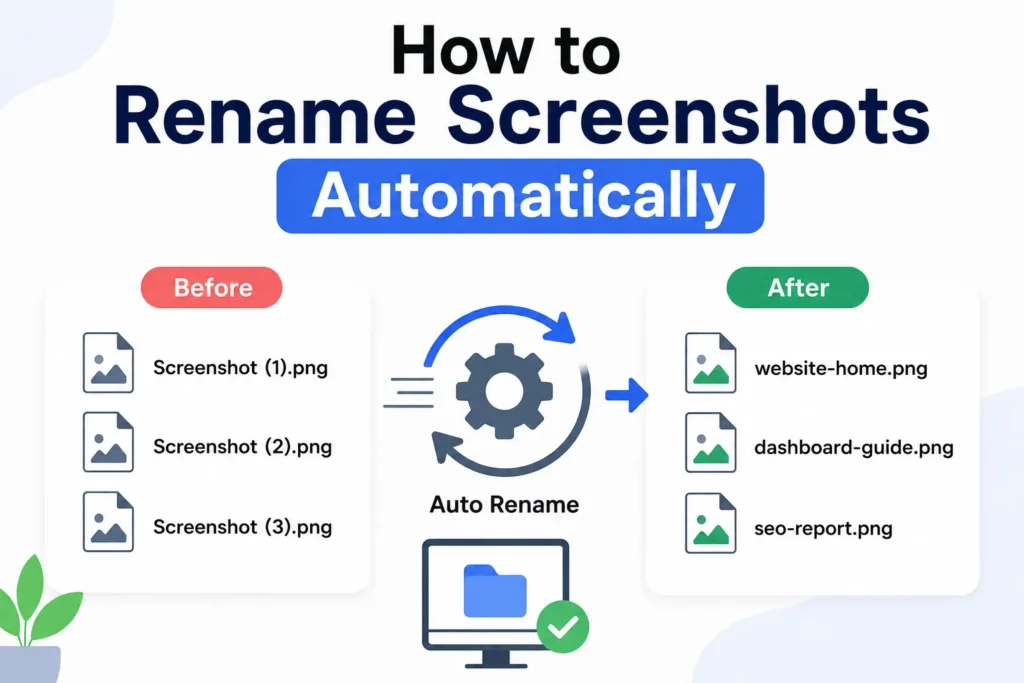
Automatic screenshot renaming is the process of changing screenshot file names using predefined rules instead of manually renaming each file.
For example:
Before:
Screenshot (1).png
Screenshot (2).png
Screenshot (3).png
After:
website-homepage-design.png
wordpress-dashboard-guide.png
seo-report-screenshot.png
This makes screenshots easier to find and manage.
Why Rename Screenshots Automatically?
Automatic renaming offers several benefits:
- ✔ Better organization
- ✔ Faster file searching
- ✔ Improved productivity
- ✔ Cleaner folders
- ✔ Better SEO for uploaded images
- ✔ Reduced manual work
Problems with Default Screenshot Names
Most devices generate generic names such as:
Screenshot 2026-06-08.png
Screenshot (45).jpg
IMG_8855.png
These names provide no useful information about the image content.
Best Ways to Rename Screenshots Automatically
1. Use a Bulk File Renaming Tool
Bulk renaming tools can rename hundreds of screenshots instantly.
Common features include:
- Adding prefixes
- Adding dates
- Replacing text
- Sequential numbering
- Custom naming patterns
Example:
screenshot-001.png
screenshot-002.png
screenshot-003.png
2. Rename Based on Date
Many users organize screenshots using dates.
Example:
2026-06-08-homepage.png
2026-06-08-settings-page.png
This makes screenshots easier to sort chronologically.
3. Rename by Project Name
If screenshots belong to a project, include the project name.
Example:
wordpress-redesign-001.png
wordpress-redesign-002.png
This is popular among bloggers and developers.
4. Use Keywords in Screenshot Names
If screenshots will be uploaded online, use descriptive keywords.
Example:
google-search-console-report.png
seo-audit-dashboard.png
Keyword-rich names improve image organization and SEO.
Best Naming Structure for Screenshots
A simple naming formula works best:
project-name-date-number
Example:
blog-seo-audit-2026-001.png
blog-seo-audit-2026-002.png
Automatic Screenshot Renaming for Bloggers
Bloggers often create screenshots for tutorials.
Instead of:
Screenshot (22).png
Use:
wordpress-plugin-settings.png
how-to-install-theme.png
This improves image SEO and organization.
Automatic Screenshot Renaming for Businesses
Businesses frequently capture screenshots of reports, dashboards and analytics.
Example:
monthly-sales-report-june-2026.png
website-traffic-report-june-2026.png
These names make records easier to locate.
Benefits of Organized Screenshot Names
- ✔ Easier searching
- ✔ Better file management
- ✔ Faster workflow
- ✔ Cleaner storage
- ✔ Improved productivity
- ✔ Better collaboration
Common Screenshot Naming Mistakes
- ❌ Keeping default names
- ❌ Using random characters
- ❌ Creating duplicate names
- ❌ No naming structure
- ❌ Mixing unrelated screenshots together
Best Practices
- ✔ Rename screenshots immediately
- ✔ Use descriptive keywords
- ✔ Include project names
- ✔ Use dates when necessary
- ✔ Keep names simple and readable
Use Our Free Screenshot Renaming Tool
Our tool helps automate screenshot naming in seconds.
- ✔ Bulk rename screenshots
- ✔ Add custom prefixes
- ✔ Sequential numbering
- ✔ SEO-friendly names
- ✔ No software installation required
👉 Rename Screenshots Automatically
FAQ
Why should I rename screenshots?
Renaming screenshots makes them easier to find, organize and manage.
Can I rename multiple screenshots at once?
Yes. Bulk renaming tools allow hundreds of screenshots to be renamed instantly.
Do screenshot file names matter for SEO?
Yes. Descriptive screenshot names help search engines understand image content.
What is the best naming format?
A combination of keywords, project names and dates usually works best.
Conclusion
Automatically renaming screenshots saves time, improves organization and makes files much easier to manage. Whether you’re a blogger, designer, student or business professional, a structured screenshot naming system can greatly improve productivity.