If you want more clicks on your YouTube videos, choosing the best thumbnail size for YouTube is just as important as creating great content. A well-designed thumbnail grabs attention, improves your click-through rate (CTR), and helps your videos stand out in search results and recommendations.
Many creators spend hours editing videos but ignore thumbnail optimization. The result? Great videos with low views.
In this guide, you’ll learn everything about YouTube thumbnail dimensions, recommended image size, file formats, design tips, common mistakes, and how to create thumbnails that attract more viewers.
What Is the Best Thumbnail Size for YouTube?
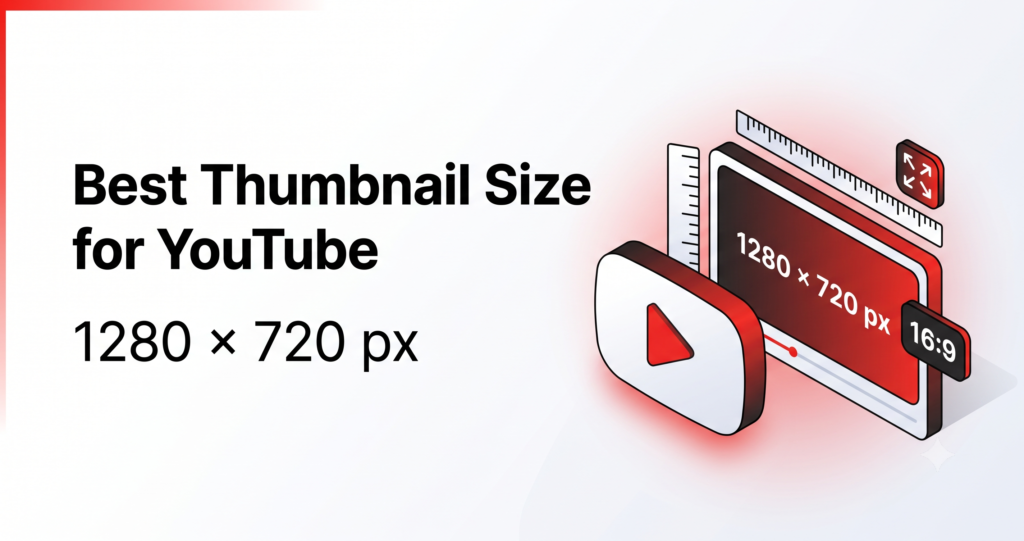
The recommended YouTube thumbnail size is:
- Width: 1280 pixels
- Height: 720 pixels
- Aspect Ratio: 16:9
- Minimum Width: 640 pixels
- Maximum File Size: 2 MB
- Supported Formats: JPG, PNG, GIF, and BMP
This size ensures your thumbnail looks sharp on desktops, smartphones, tablets, TVs, and YouTube search results.
YouTube Thumbnail Specifications
| Specification | Recommended Value |
|---|---|
| Thumbnail Size | 1280 × 720 pixels |
| Aspect Ratio | 16:9 |
| Minimum Width | 640 px |
| Maximum File Size | 2 MB |
| File Types | JPG, PNG, GIF, BMP |
Why Is the Correct Thumbnail Size Important?
Using the correct thumbnail dimensions provides several benefits:
- Better image quality
- No blurry or stretched thumbnails
- Higher click-through rate (CTR)
- Improved user experience
- Professional appearance
- Better visibility across all devices
Even the best video can lose potential viewers if the thumbnail appears pixelated or poorly cropped.
Why YouTube Recommends 1280 × 720 Pixels
YouTube displays thumbnails in multiple places, including:
- Home page
- Search results
- Suggested videos
- Channel pages
- Playlists
- Mobile app
- Smart TVs
A 1280 × 720 thumbnail maintains quality across every screen size while keeping the correct 16:9 ratio.
Best File Format for YouTube Thumbnails
Although YouTube supports multiple image formats, some perform better than others.
JPG
Pros
- Smaller file size
- Faster upload
- Good for most thumbnails
Cons
- Slight image compression
PNG
Pros
- Better image quality
- Sharper text
- Excellent for graphics
Cons
- Larger file size
For thumbnails with lots of text or graphics, PNG is usually the better option.
Ideal Aspect Ratio
The ideal aspect ratio is 16:9.
If you upload thumbnails in another ratio, YouTube may crop or stretch the image, making it look unprofessional.
Always design your thumbnail using the correct aspect ratio from the beginning.
Maximum Thumbnail File Size
Your thumbnail should not exceed 2 MB.
If your image is too large:
- Compress it without reducing quality
- Save as JPG if PNG is too large
- Optimize the image before uploading
Keeping file size low helps ensure faster uploads while maintaining image clarity.
Best Thumbnail Resolution
The best resolution remains:
1280 × 720 pixels
Avoid creating thumbnails smaller than 640 pixels wide because they may appear blurry on larger screens.
YouTube Thumbnail Safe Area
Important elements should stay near the center.
Avoid placing text too close to the edges because YouTube may crop parts of the image on certain devices.
Keep:
- Faces centered
- Main objects centered
- Text away from borders
- Logos in corners with enough spacing
How to Create an Attractive YouTube Thumbnail
A great thumbnail should immediately capture attention.
Use High-Quality Images
Avoid blurry screenshots.
Instead, use:
- High-resolution photos
- Sharp video frames
- Professional graphics
Add Large Readable Text
Text should be readable even on mobile devices.
Best practices:
- Use 3–6 words
- Large bold fonts
- High contrast colors
- Avoid long sentences
Use Bright Colors
Colors that often perform well include:
- Yellow
- Red
- Blue
- Orange
- White
- Black
Strong color contrast helps thumbnails stand out.
Include Human Faces
Studies consistently show that thumbnails featuring expressive faces often receive higher engagement.
Expressions like surprise, excitement, curiosity, or happiness can increase clicks.
Maintain Consistent Branding
If you publish videos regularly:
- Use similar colors
- Add your logo
- Keep a consistent font
- Follow a recognizable style
Consistent branding helps viewers identify your content quickly.
Common Thumbnail Mistakes
Avoid these common errors:
- Wrong image size
- Low-quality screenshots
- Tiny unreadable text
- Too much text
- Poor color contrast
- Clickbait that doesn’t match the video
- Overcrowded design
- Ignoring mobile users
Simple, clean thumbnails usually perform better than overly complex ones.
How to Resize Images for YouTube Thumbnails
If your image isn’t the correct size, resize it before uploading.
For the best results:
- Upload your image.
- Resize it to 1280 × 720 pixels.
- Keep the 16:9 aspect ratio.
- Download the optimized image.
- Upload it to YouTube.
Using the correct dimensions prevents distortion and ensures the thumbnail appears crisp on every device.
Best Practices for High-CTR Thumbnails
Follow these tips to increase your click-through rate:
- Use close-up faces
- Highlight one main subject
- Keep the design clean
- Use bold text
- Add contrast
- Use bright colors
- Keep branding consistent
- Match the thumbnail with the video’s content
- Test different thumbnail styles
- Focus on curiosity without misleading viewers
Mobile Thumbnail Optimization
More than half of YouTube views come from mobile devices.
Make sure your thumbnail:
- Has large readable text
- Uses high contrast
- Doesn’t contain tiny details
- Keeps the main subject centered
Always preview your thumbnail on a smartphone before publishing.
Does Thumbnail Quality Affect SEO?
Indirectly, yes.
YouTube uses viewer engagement signals such as:
- Click-through rate (CTR)
- Watch time
- Audience retention
- Viewer satisfaction
An attractive thumbnail can improve CTR, which may increase your video’s visibility in search results and recommendations.
Frequently Asked Questions
What is the best thumbnail size for YouTube?
The recommended size is 1280 × 720 pixels with a 16:9 aspect ratio.
What is the maximum thumbnail file size?
The maximum file size is 2 MB.
Which format is better: JPG or PNG?
PNG offers higher quality, while JPG provides smaller file sizes. Either works well if optimized correctly.
Can I upload thumbnails smaller than 1280 × 720?
Yes, but YouTube recommends a minimum width of 640 pixels. Smaller thumbnails may appear blurry.
Why does my thumbnail look blurry?
Common reasons include:
- Low resolution
- Heavy image compression
- Wrong aspect ratio
- Small image dimensions
Does a custom thumbnail improve views?
A compelling custom thumbnail can improve click-through rate, which often leads to more views compared with automatically generated thumbnails.
Conclusion
Using the best thumbnail size for YouTube is a simple yet powerful way to improve your video’s performance. The recommended 1280 × 720 pixels resolution with a 16:9 aspect ratio ensures your thumbnails look sharp on every device.
Combine the correct dimensions with high-quality images, bold readable text, consistent branding, and clean design principles to maximize your click-through rate and attract more viewers.
If you need to resize your image before uploading, FileRenameOnline.com offers easy-to-use image resizing tools that help you create perfectly sized YouTube thumbnails without losing quality.