Freelancers often work with multiple clients at the same time, handling contracts, invoices, designs, documents, images and project files. Without a proper system, finding the right file can become difficult and time-consuming. In this guide, you’ll learn how freelancers organize client files to stay productive and professional.
Quick Answer
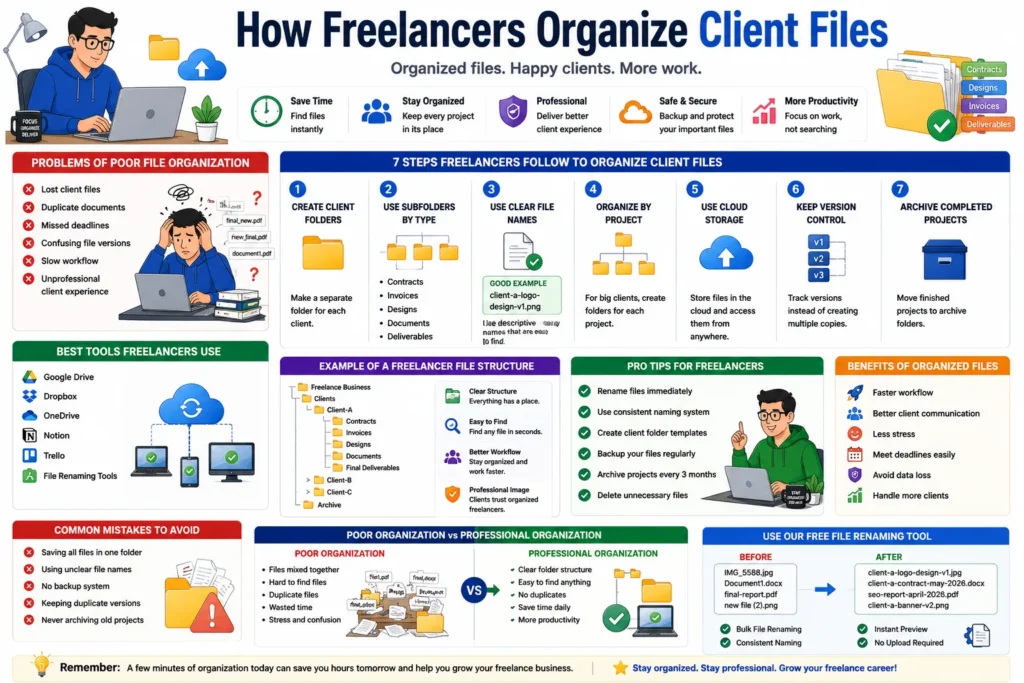
Freelancers organize client files by using dedicated client folders, clear file naming systems, cloud backups and structured project management workflows.
Why File Organization Matters for Freelancers
A freelancer may manage dozens of projects every month.
Good organization helps:
- ✔ Save time
- ✔ Reduce stress
- ✔ Improve client communication
- ✔ Find files instantly
- ✔ Prevent data loss
- ✔ Look more professional
Problems Caused by Poor File Organization
- ❌ Lost client files
- ❌ Duplicate documents
- ❌ Missed deadlines
- ❌ Confusing file versions
- ❌ Slow workflow
- ❌ Unprofessional client experience
How Freelancers Organize Client Files
1. Create a Separate Folder for Each Client
The first rule is keeping every client’s files separate.
Clients/
│
├── Client-A/
├── Client-B/
├── Client-C/
└── Client-D/
👉 This prevents confusion between projects.
2. Use Subfolders for Different File Types
Inside each client folder, create organized categories.
Client-A/
│
├── Contracts/
├── Invoices/
├── Designs/
├── Documents/
└── Final Deliverables/
👉 Easy to find files instantly.
3. Use Clear File Names
Avoid names like:
final-design.png
design-new-final.png
document1.pdf
Use descriptive names instead:
client-a-logo-design-v1.png
client-a-contract-may-2026.pdf
👉 Better organization and searchability.
4. Use Project-Based Organization
For large clients, organize files by project.
Client-A/
│
├── Website Redesign/
├── SEO Campaign/
└── Social Media Graphics/
👉 Keeps projects separated and easier to manage.
5. Store Files in Cloud Storage
Professional freelancers use cloud backups.
Popular options:
- ✔ Google Drive
- ✔ Dropbox
- ✔ OneDrive
👉 Access files from anywhere.
6. Keep Version Control
Client projects often go through multiple revisions.
Example:
logo-design-v1
logo-design-v2
logo-design-v3
👉 Makes revision tracking easier.
7. Archive Completed Projects
Move completed projects to archive folders.
Archive/
│
├── Client-A-2025/
├── Client-B-2025/
└── Completed Projects/
👉 Keeps active workspace clean.
Poor Organization vs Professional Organization
| Poor System | Professional System |
|---|---|
| Files mixed together | Separate client folders |
| Random names | Descriptive file names |
| No backups | Cloud storage backups |
| Messy projects | Project-based organization |
| Duplicate files | Version control |
Example of a Freelancer File Structure
Freelance Business/
│
├── Clients/
│
├── Client-A/
│   ├── Contracts/
│   ├── Designs/
│   ├── Invoices/
│   └── Deliverables/
│
├── Client-B/
│
└── Archive/
Best Tools Freelancers Use
- ✔ Google Drive
- ✔ Dropbox
- ✔ Notion
- ✔ Trello
- ✔ File renaming tools
Benefits of Organized Client Files
- ✔ Faster workflow
- ✔ Better client experience
- ✔ Easier project management
- ✔ Improved productivity
- ✔ Reduced stress
- ✔ Professional image
👉 Organized freelancers can handle more clients efficiently.
Pro Tips Used by Successful Freelancers
- ✔ Rename files immediately
- ✔ Use cloud backups
- ✔ Create client templates
- ✔ Archive old projects quarterly
- ✔ Keep naming systems consistent
Common Freelancer File Mistakes
- ❌ Saving all files in one folder
- ❌ Using unclear file names
- ❌ No backup system
- ❌ Keeping duplicate versions
- ❌ Never archiving old projects
Use Our Free File Renaming Tool
If you want to organize client files faster, use our free tool:
- ✔ Bulk file renaming
- ✔ Consistent file naming
- ✔ Instant preview
- ✔ No upload required
FAQ
Q1: How do freelancers organize client files?
Using separate client folders, project folders and consistent naming systems.
Q2: Should freelancers use cloud storage?
Yes, cloud storage provides backups and remote access.
Q3: Why is version control important?
It helps track project revisions and prevents confusion.
Q4: How often should freelancers archive projects?
Monthly or quarterly archiving is recommended.
Conclusion
Freelancers organize client files using structured folders, clear naming systems, cloud storage and project-based workflows. These habits improve productivity, reduce stress and help deliver a more professional client experience.