Freelancers handle dozens or even hundreds of files every month. From client contracts and project drafts to invoices and final deliverables, poor file naming can quickly create confusion, waste time, and lead to costly mistakes. A structured file naming system helps freelancers stay organized, find documents faster, improve collaboration, and present a more professional image to clients.
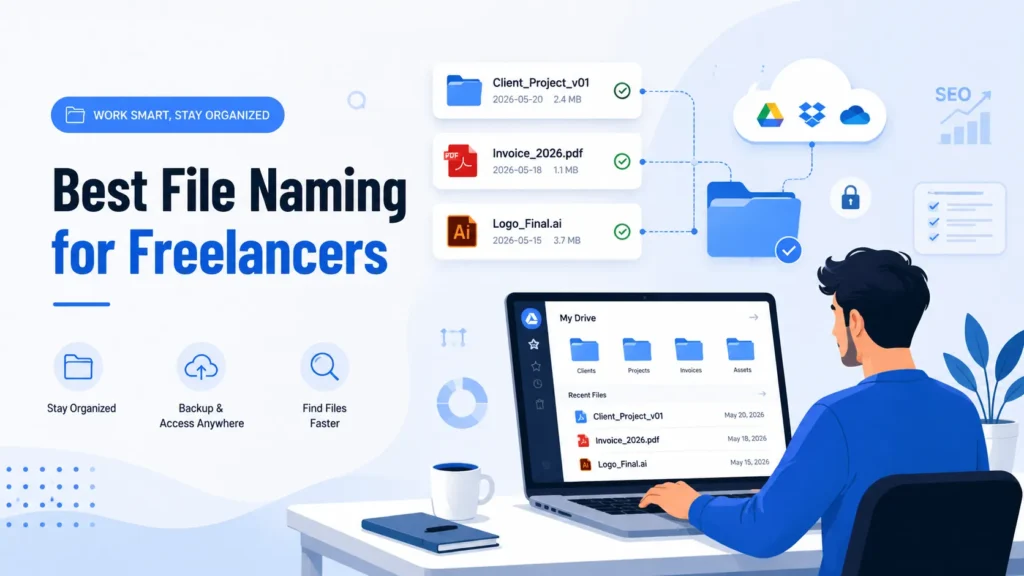
In this guide, you’ll learn the best file naming practices for freelancers, proven naming conventions, common mistakes to avoid, and examples you can start using today.
Why File Naming Matters for Freelancers
Many freelancers underestimate the importance of file organization until they lose a document or send the wrong version to a client. A consistent file naming system offers several benefits:
- Faster file searches
- Better project organization
- Easier collaboration with clients
- Reduced risk of sending incorrect files
- Improved workflow efficiency
- Professional project management
- Simplified backups and archiving
Whether you’re a graphic designer, writer, developer, video editor, or virtual assistant, proper file naming can save hours of work every month.
The Golden Rules of File Naming
Before creating your naming convention, follow these essential rules:
Keep File Names Consistent
Consistency is more important than complexity. Use the same format for every project and client.
Use Clear and Descriptive Names
File names should immediately explain what the file contains without opening it.
Include Important Information
A good file name typically includes:
- Client name
- Project name
- File type or content
- Version number
- Date (when necessary)
Avoid Special Characters
Do not use characters such as:
- /
- \
- ?
- :
- “
- <
These can cause compatibility issues across operating systems.
Use Hyphens or Underscores
Instead of spaces, use:
- hyphens (-)
- underscores (_)
Example:
client-website-homepage-v1.docx
Best File Naming Structure for Freelancers
A professional naming structure often follows this format:
ClientName_ProjectName_FileDescription_Version_Date
Example:
AcmeCorp_WebsiteLandingPage_Content_v03_2026-06-10.docx
This format keeps files organized and easy to locate.
File Naming Examples for Different Freelance Professions
For Freelance Writers
Examples:
- TechStartup_BlogArticle_AI_v01.docx
- TechStartup_BlogArticle_AI_v02.docx
- TechStartup_BlogArticle_AI_Final.docx
For Graphic Designers
Examples:
- BrandX_LogoConcept_A_v01.ai
- BrandX_LogoConcept_B_v02.ai
- BrandX_Logo_Final.ai
For Web Developers
Examples:
- ClientWebsite_Homepage_HTML_v01.html
- ClientWebsite_LoginModule_v03.zip
- ClientWebsite_FinalBuild_v10.zip
For Video Editors
Examples:
- TravelVlog_RawFootage_01.mp4
- TravelVlog_Edit_v02.prproj
- TravelVlog_FinalExport_1080p.mp4
For Virtual Assistants
Examples:
- ClientA_MonthlyReport_May2026.xlsx
- ClientA_Invoice_June2026.pdf
- ClientA_MeetingNotes_2026-06-10.docx
How to Use Version Control in File Names
Version control prevents confusion and accidental overwrites.
Recommended Version Format
Use:
- v01
- v02
- v03
Example:
- ProjectProposal_v01.docx
- ProjectProposal_v02.docx
- ProjectProposal_v03.docx
Avoid These Naming Mistakes
Do not use:
- final.docx
- final-final.docx
- final-revised.docx
- final-latest.docx
These names become confusing over time.
Instead use:
- Proposal_v07.docx
- Proposal_v08.docx
- Proposal_Final.docx
Only mark the approved deliverable as “Final.”
Date Format Best Practices
The best date format is:
YYYY-MM-DD
Example:
2026-06-10
Benefits:
- Files sort correctly
- Easy chronological tracking
- Internationally recognized format
Good example:
ClientInvoice_2026-06-10.pdf
Bad example:
Invoice_June10_26.pdf
File Naming Mistakes Freelancers Should Avoid
Using Generic Names
Bad:
- Document1.docx
- NewFile.pdf
- Project.docx
Good:
- AcmeCorp_SEOAudit_v01.docx
Making Names Too Long
Bad:
ClientWebsiteHomepageMainDesignUpdatedAfterFeedbackRoundThreeVersionSeven.psd
Good:
ClientWebsite_HomepageDesign_v07.psd
Inconsistent Naming
Bad:
- ClientALogo.psd
- client_a_logo_v2.psd
- CLIENTA-LOGO-FINAL.psd
Good:
- ClientA_Logo_v01.psd
- ClientA_Logo_v02.psd
- ClientA_Logo_Final.psd
Recommended Folder Structure for Freelancers
A clean folder structure works alongside file naming.
Example:
Clients/
├── AcmeCorp/
│ ├── Contracts/
│ ├── Invoices/
│ ├── Drafts/
│ ├── Final Deliverables/
│
├── StartupXYZ/
│ ├── Contracts/
│ ├── Invoices/
│ ├── Drafts/
│ ├── Final Deliverables/
This system makes project management much easier as your freelance business grows.
Best File Naming Template for Freelancers
Use this simple formula:
Client_Project_FileType_Version_Date
Examples:
- Acme_BlogPost_v01_2026-06-10.docx
- Acme_LogoDesign_v03_2026-06-10.ai
- Acme_Invoice_June2026.pdf
- Acme_Website_Final.zip
This template works across nearly every freelance profession.
Tools That Help Organize Files
Several tools can improve file organization:
- Google Drive
- Dropbox
- Microsoft OneDrive
- Notion
- ClickUp
- Trello
- Asana
Combined with proper file naming, these tools help maintain a professional workflow.
Final Thoughts
A strong file naming convention is one of the simplest ways freelancers can improve productivity and professionalism. By creating clear, consistent, and descriptive file names, you can save time, reduce mistakes, and manage projects more effectively. The best approach is to choose one naming structure, apply it consistently across all clients, and maintain version control throughout every project.
Start using a professional file naming system today, and you’ll immediately notice how much easier it becomes to manage freelance projects, collaborate with clients, and scale your business.