Many websites lose traffic and rankings because of poor image optimization. Images improve user experience and help websites rank in Google Images, but common mistakes can hurt SEO performance badly. In this guide, we will cover the most common image SEO mistakes and how to avoid them.
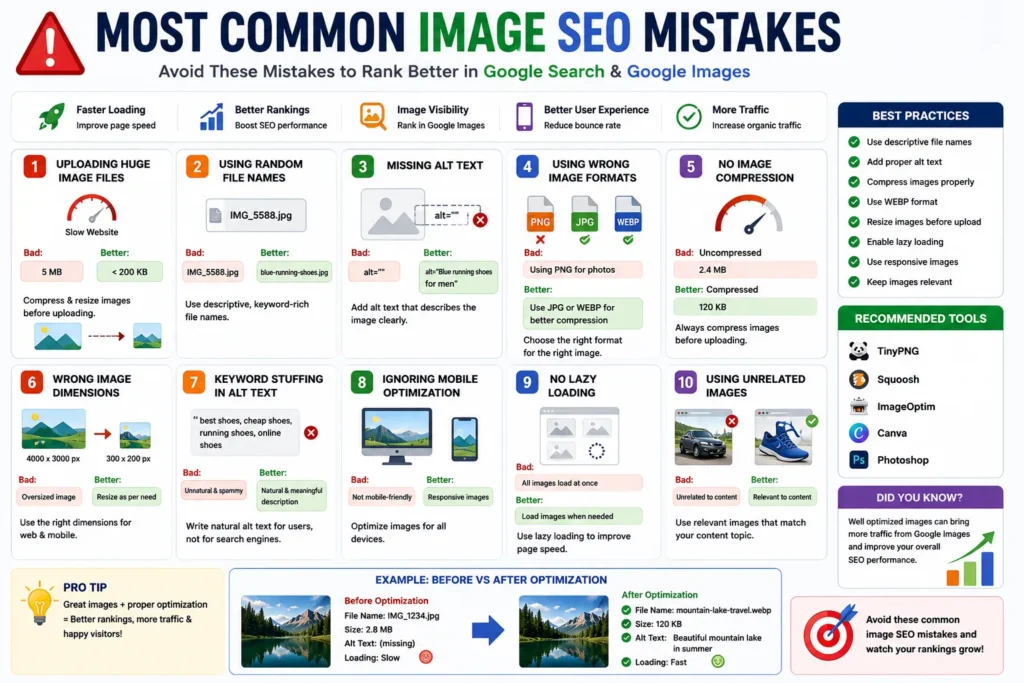
Quick Answer
The most common image SEO mistakes include large file sizes, missing alt text, random file names, poor image compression and using wrong image formats.
Why Image SEO Matters
Optimized images help websites:
- ✔ Load faster
- ✔ Improve Google rankings
- ✔ Rank in Google Images
- ✔ Improve user experience
- ✔ Reduce bounce rate
- ✔ Improve mobile performance
👉 Poor image optimization hurts both SEO and speed.
1. Uploading Huge Image Files
Large images slow down websites significantly.
Bad Example:
5 MB image uploaded directly from camera
Better Approach:
- ✔ Compress images
- ✔ Resize before upload
- ✔ Keep blog images under 200 KB
2. Using Random File Names
Many websites upload images like:
IMG_5588.jpg
photo123.png
newimage.webp
👉 Google cannot understand these properly.
SEO-Friendly Example:
healthy-breakfast-recipes.webp
wordpress-speed-guide.jpg
3. Missing Alt Text
Alt text helps search engines and accessibility tools understand images.
Bad Example:
alt=""
Good Example:
alt="Healthy breakfast with fruits and oatmeal"
4. Using Wrong Image Formats
Using large PNG images unnecessarily slows websites.
| Format | Best Use |
|---|---|
| WEBP | Best for websites & SEO |
| JPG | Photos |
| PNG | Transparent graphics |
👉 WEBP is usually the best modern choice.
5. No Image Compression
Uncompressed images increase loading time.
Always compress images before uploading.
Popular tools:
- ✔ TinyPNG
- ✔ Squoosh
- ✔ ImageOptim
6. Wrong Image Dimensions
Uploading oversized images wastes bandwidth.
Bad Example:
4000 × 3000 px image for small blog thumbnail
👉 Resize images according to usage.
7. Keyword Stuffing in Alt Text
Some websites overload keywords unnaturally.
Bad Example:
alt="best shoes cheap shoes running shoes online shoes"
👉 Keep alt text natural and human-friendly.
8. Ignoring Mobile Optimization
Most traffic today comes from mobile devices.
Large images hurt mobile performance badly.
Use:
- ✔ Responsive images
- ✔ Smaller dimensions
- ✔ Modern formats
9. No Lazy Loading
Lazy loading improves speed by loading images only when needed.
👉 Important for image-heavy websites.
10. Using Unrelated Images
Images should match page content.
Random unrelated visuals confuse Google and users.
Biggest Image SEO Mistakes Overview
| Mistake | SEO Impact |
|---|---|
| Huge image sizes | Slow website |
| No alt text | Poor image understanding |
| Random file names | Weak image relevance |
| No compression | Poor page speed |
| Wrong format | Larger file size |
Best Practices for Image SEO
- ✔ Compress all images
- ✔ Use descriptive file names
- ✔ Add proper alt text
- ✔ Use WEBP format
- ✔ Resize oversized images
- ✔ Enable lazy loading
Pro Tips
- ✔ Optimize images before upload
- ✔ Test website speed regularly
- ✔ Keep image quality balanced
- ✔ Use responsive image sizes
- ✔ Match images with content topic
Use Our Free File Renaming Tool
If you want SEO-friendly image file names, use our free tool:
- ✔ Bulk image renaming
- ✔ SEO-friendly names
- ✔ Instant preview
- ✔ No upload required
👉 Optimize Image File Names Now
FAQ
Q1: What is the biggest image SEO mistake?
Uploading large uncompressed images is one of the biggest mistakes.
Q2: Does alt text improve SEO?
Yes, alt text helps Google understand image content.
Q3: Is WEBP better for SEO?
Yes, WEBP usually provides better compression and faster loading.
Q4: Why should images be compressed?
Compression improves website speed and user experience.
Conclusion
Avoiding common image SEO mistakes can improve page speed, rankings and user experience significantly. Proper image optimization helps websites perform better in both Google Search and Google Images.